


Bringing the cloud and your AI workflow with you has never been so simple
Pulsar is a LocalFirst, complete, end-to-end, offline and mobile solution for the Salesforce platform. The mobile app enables secure access to AI and Salesforce data, workflows, and user experience on iOS, Android, and Windows mobile devices.



LocalFirst AI Connectivity
Access your AI workflows and use integrated local LLMs with organization-specific AI recommendations at your fingertips to enhance productivity – whether online or offline. Learn More
Now Available! Pulsar Agent—an embedded AI assistant built into our LocalFirst mobile app to boost field productivity offline. The AI agent transcribes, suggests, and analyzes data and actions right on the device. Learn More
LocalFirst Offline Access to Cloud Data
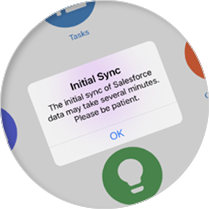
Imagine the possibilities when your data is always with you, whether connectivity is spotty, weak, or unavailable. Sales representatives can take and complete orders while onsite with customers. Engineers can consult field plans and capture critical data in real-time, including images. Service technicians can view schematics and parts lists to make repairs and order the correct parts for future visits. Home-care providers and clinicians can set up appointments and access the latest data when visiting patients.
Learn More
LocalFirst Rules Engine
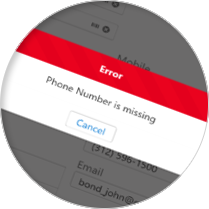
Our Rules Engine allows app administrators to set up business rules, validations and triggers, and approval processes within Pulsar. This way, the specific business processes the users need can run, whether online or offline. Organizations can rest assured that users always upload clean data, even when operating offline.
Learn More
Customizable UI
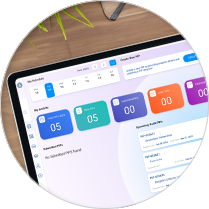
With Pulsar’s robust data storage capabilities and built-in extensibility, you can fully customize the mobile user interface to meet your unique business needs. Just as you would build Visualforce pages in Salesforce, you can develop custom web apps that run directly within Pulsar, even while offline. This makes Pulsar the ideal off-the-shelf platform for bringing Salesforce to your mobile device: fully functional, offline-capable, and ready to be tailored. You can create a complete mobile experience aligned to your workflows, with the flexibility to adapt UI, logic, and business processes, just like in Salesforce. Learn More
Now, with Pulsar Copilot, that customization is faster and more accessible than ever. Powered by AI, Copilot helps you write and refine code for apps, forms, and workflows directly within Pulsar. It can suggest code, auto-complete functions, and even generate full components from natural language prompts. Tasks that used to take days can now be completed in hours, significantly accelerating development and enabling your team to deliver polished, production-ready mobile experiences with minimal effort. Pulsar’s new AI-powered features and intuitive tools enable even business users, not just developers, to enhance mobile workflows, streamline field operations, and improve the overall user experience. Learn More
Offline Access to Salesforce Field Service Mobile
With a Premium or Enterprise level license, and the Pulsar Manager for Salesforce Field Service, you can also use the Pulsar offline mobile app to provide the full SFS mobile experience to your workforce.
Learn More

Ready to See Pulsar in Action?
Watch a Demo

- Our team will contact you to schedule a live demo.
- Our demo includes technical information about Pulsar and gives you the opportunity to get answers to your questions.
Request a Personal Demo
Multi-cloud Compatibility
Offline support for multiple cloud applications using your existing login credentials.


Contact Luminix